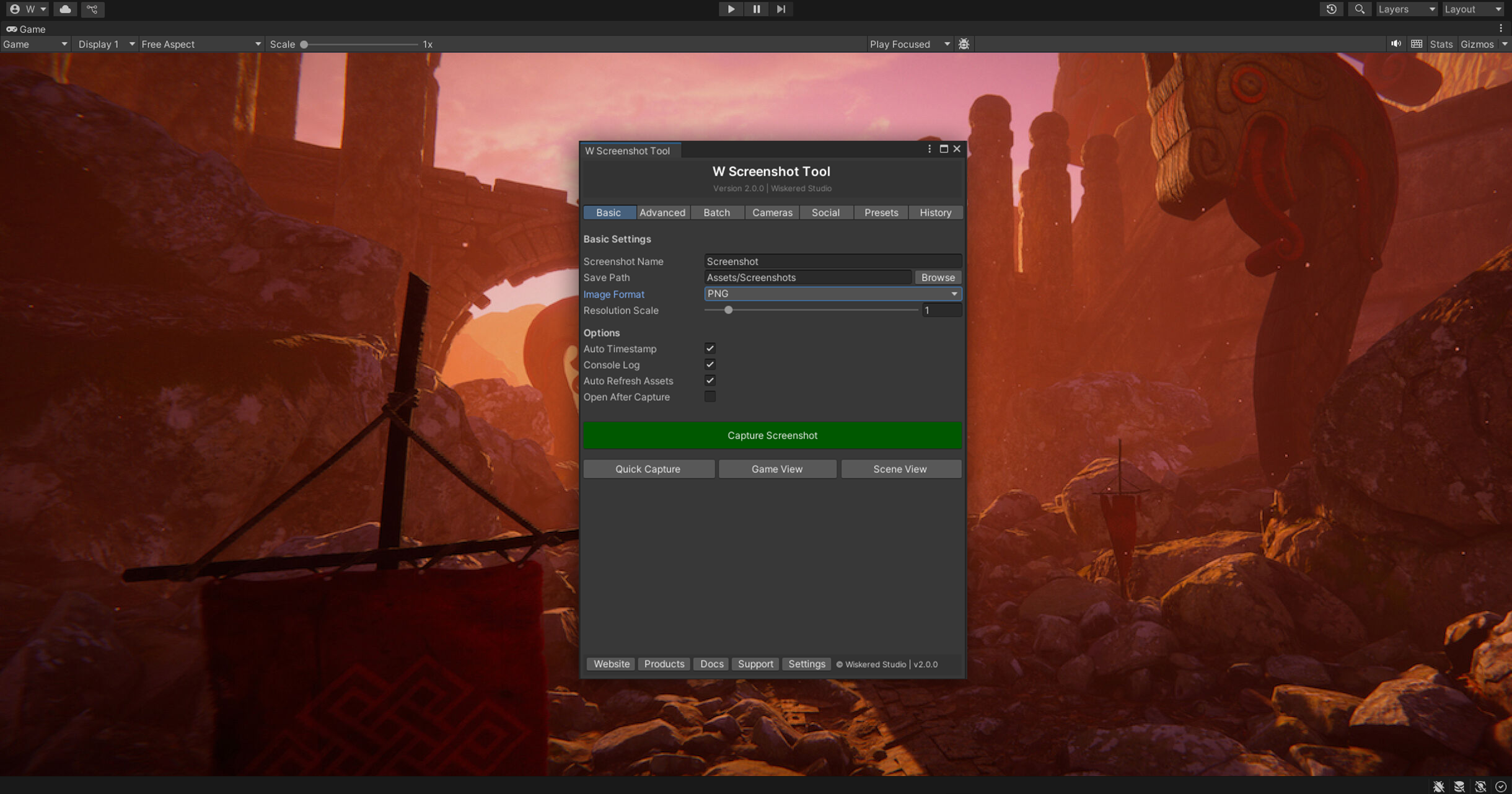
W Screenshot Tool is a free, lightweight Unity utility that simplifies screenshot and video capture directly from the editor. With support for 4K resolution and multiple render pipelines, it provides a straightforward way to capture and document your project without external tools.
Easy Screenshot Capture
Capture high-quality screenshots directly from the Unity editor with a single click. No complex menus, no external software—just simple, reliable screenshot functionality integrated seamlessly into your workflow.
- One-Click Capture — Simple screenshot functionality with minimal setup
- 4K Resolution Support — Capture at ultra-high resolutions for detailed screenshots
- Editor Integration — Works seamlessly within the Unity editor environment
Video Footage Capture
Beyond static screenshots, W Screenshot Tool supports video capture for showcasing gameplay, effects, and project progress. Document your development with video directly from the editor.
- Video Recording — Capture gameplay and editor footage
- Flexible Output — Export in common video formats
- Real-Time Capture — Record at full frame rate without performance impact
Universal Render Pipeline Support
W Screenshot Tool works with all modern Unity rendering pipelines, ensuring compatibility across different project types and visual quality targets.
- Built-in Render Pipeline — Full compatibility with standard rendering
- Universal Render Pipeline (URP) — Works seamlessly with mobile and console projects
- High Definition Render Pipeline (HDRP) — Support for high-quality visual projects
Lightweight and Free
W Screenshot Tool is completely free and lightweight—just 68 KB. No cost, no bloat, no complex dependencies. A simple utility that does one thing well.
- Free Asset — No licensing costs
- Minimal Footprint — Tiny file size, no performance impact
- No Dependencies — Works independently without external tools
- Open Integration — Complements other editor tools and workflows
Perfect for Documentation
W Screenshot Tool is ideal for documenting your game development process. Capture screenshots for portfolios, marketing materials, tutorials, bug reports, or project documentation—all from within the editor.
- Portfolio and showcase screenshots
- Marketing and promotional content
- Bug documentation and reporting
- Development progress tracking
- Tutorial and guide creation